
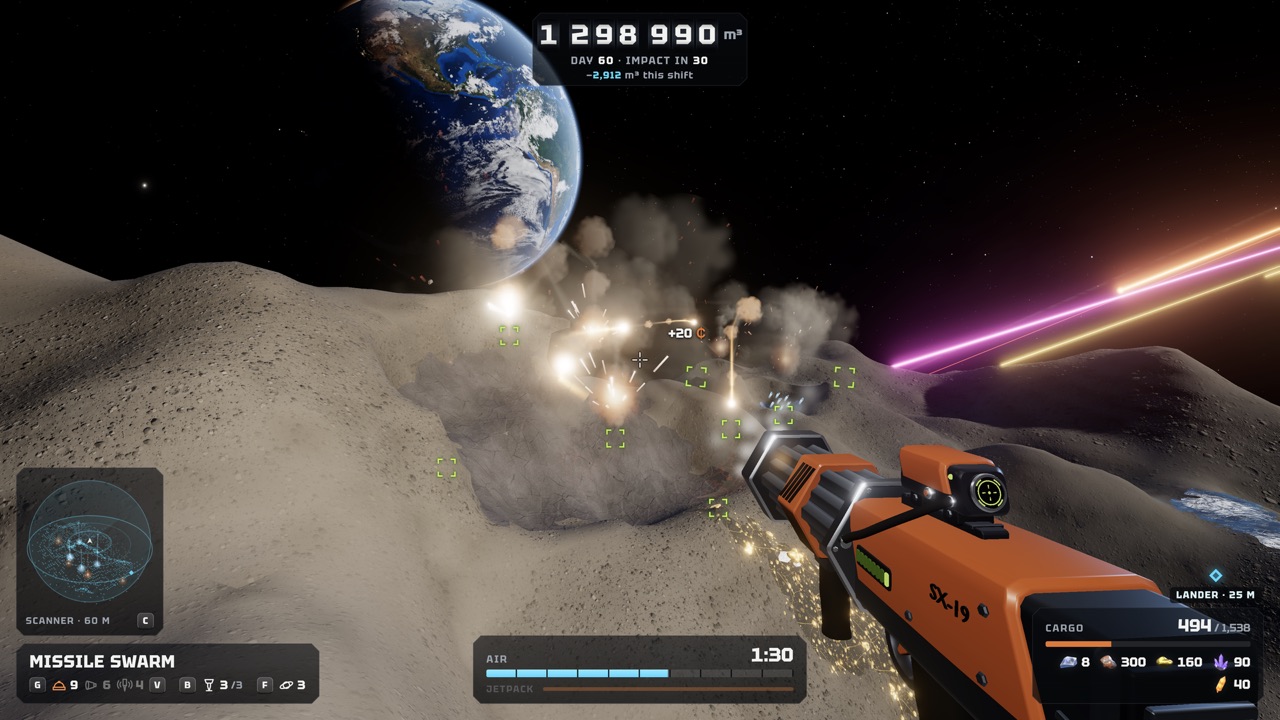
Find Your Crew During a Shift
The November 20 update added a crew locator. It shows teammates’ names, distances and outlines through rock. That makes it easy to find friends inside tunnels.
The default binding is the middle mouse button. You can change it in Settings, along with how teammates are displayed. Controller players should check the gamepad bindings.
Change the Locator Key
Keyboard rebinding arrived on November 19, and on-screen prompts follow your chosen bindings. The November 20 update added more options: right, middle and side mouse buttons, arrow keys, numpad digits, Enter and Numpad Enter. Existing custom bindings are kept when new actions are added.
If the middle mouse button is awkward on your mouse, move the locator to a side button. Then check the HUD prompt to confirm it. Display options for teammates are in the same Settings menu.
Visible Tether Lines
Since November 21, teammates’ tether lines are visible. The patch notes list it among several co-op return fixes. It helps you keep track of a friend working deep in a shaft.
Combine the tether lines with the crew locator to regroup before the lander leaves. Anyone in the lander can start a 10-second countdown. See how to return to the lander.
Find Players on the Official Discord
On November 18, Unruled Games announced an official No Asteroids Discord server. The developer invites players to chat about the game, share screenshots and report bugs there. The team says it is active on the server too.
Ask there for a co-op crew. We could not confirm a dedicated looking-for-group channel name, so read the server’s channels when you join. The invite is linked from the official Steam news post.
Other Places to Find a Crew
The Steam discussions for No Asteroids are active, and players share runs and tips there. You can ask for co-op partners in a thread. The developer also reads and replies to feedback there.
Playing with friends you already know is the simplest option. Up to eight players can join one host. Steam lists cross-platform multiplayer, so Windows and Mac players can team up.
Before You Invite Strangers
Remember how co-op money works. All ore money goes into one wallet, and the host decides who can spend it. As host, set spending permissions before strangers join.
Anyone with a seat in the lander can kick a friend out of the hatch, according to the store. The campaign is the host’s save, while guests keep their own game. Read how to play No Asteroids co-op for all the rules.
Try Co-op in the Demo First
The free demo has had online co-op since November 13. It covers the first 20 in-game days. That is a low-risk way to test a new crew.
Demo saves carry over to the full game on the same computer. For a co-op campaign, that applies to the host’s save. See the No Asteroids demo page.
Co-op Fixes Worth Knowing
The November 19 patch let invited players rejoin after being kicked. It also shortened the freezes when someone joins. Earlier, hosting after another session could make teammates invisible, which another November 19 patch fixed.
Update the game before each session so everyone has the same fixes. Since November 19, guests also have their own mining drones. See mining drones in co-op.
Regrouping Before the Lander Leaves
Finding teammates matters most at the end of a shift. Anyone with a seat in the lander can start a 10-second countdown. If someone is still outside when it leaves, they black out and lose their cargo.
Use the crew locator to check everyone’s distance before boarding. Since November 20, players staying aboard or recovering from a blackout cannot launch the lander separately. That keeps one player from cutting the crew’s shift short.
What to Agree On With a New Crew
A short chat before the first shift avoids most arguments:
- Who hosts, since the campaign is the host’s save.
- Who may spend from the shared ore wallet.
- Which mode to play: By the contract or The hard way.
- When to head back, and who starts the lander countdown.
Cross-Platform Teammates
Steam lists cross-platform multiplayer for No Asteroids. The game runs on Windows and Apple Silicon Macs, so Windows and Mac players can look for crews together. Intel Macs are not supported.
The free demo also supports online co-op and covers the first 20 in-game days. The store requirements note that online co-op needs an internet connection. See No Asteroids Steam for platform details.
Co-op Economy Before You Invite
A bigger crew changes the economy. Since November 21, ore sales pay 90% of their normal value after multiplayer shifts. Solo prices remain unchanged.
Laser, plasma cutter and missile swarm prices rise 50% for two-player crews and 100% for three or more. A larger crew digs more rock per shift, but later tools cost more. Decide together how big your crew should be.
Frequently Asked Questions
Can I change how teammates are displayed?
Yes. Settings lets you change the crew locator binding and how teammates are displayed.
How do I see my teammates in No Asteroids?
Use the crew locator. The default key is the middle mouse button; it shows names, distances and outlines through rock.
Is there matchmaking in No Asteroids?
We found no confirmed public matchmaking. Use the official Discord, the Steam discussions or friends you already play with.
Where is the official No Asteroids Discord?
Unruled Games linked it in the November 18 Steam news post announcing 50,000 wishlists.
Official Video
Sources and Further Reading
- Unruled Games · Save Slots, Hard Mode & Co-op Improvements (Nov 20)
- Unruled Games · Keyboard Rebinding & Co-op Fixes (Nov 19)
- Unruled Games · Stronger Drones, Tunnel Mode & Co-op Fixes (Nov 21)
- Unruled Games · 50,000 wishlists and the official Discord (Nov 18)
- No Asteroids · Official Discord invite
- Unruled Games · Demo co-op and 20 playable days (Nov 13)
- Unruled Games · Fixes and Improvements (Nov 19)
- Steam · No Asteroids store page (app 5527800)
- YouTube · Unruled Games, Co-op Trailer (Nov 13)