
Why Getting Back Matters
Every shift ends with a trip back to the lander. If you are not in it when it leaves the asteroid, you black out and lose your cargo. That wipes out a whole day of income.
Your air is the other clock. You dig while your air lasts, so the return trip has to fit inside it. Leave early until you know how long your way back takes.
Read the LANDER Distance
The LANDER readout sits at the bottom left of the mining HUD, next to the scanner. In an official screenshot, it reads LANDER · 151 M. Another official screenshot shows LANDER · 25 M right next to the cargo panel.
Check the distance before you dig deeper. Compare it with your AIR bar at the bottom of the screen. If the distance keeps growing, turn back sooner.
Use the Tether
The tether helps you return from deep tunnels. After demo feedback, the developer added an indicator that shows when you are in tether range. Use the return action when it shows you are in range.
A November 19 patch improved tether return paths from deep shafts and pits. Key bindings can change, and on-screen prompts follow your chosen bindings. Check Settings for the current tether key.
The 10-Second Countdown
Anyone who sits in the lander can start a 10-second countdown. In co-op, that means a teammate can start it while you are still outside. They can also kick a friend out of the hatch.
Agree on when to leave before anyone sits down. If the lander takes off while you are outside, your haul stays behind. A November 21 patch fixed a launch countdown that could get stuck.
Co-op Return Rules
Since November 20, players who stay aboard or are recovering from a blackout can no longer launch the lander separately. That stops them from cutting the crew’s shift short. The rest of the crew can keep mining.
Since November 21, teammates’ tether lines are visible. The same patch fixed return issues involving an unconscious host, disconnected players and downed bots. Use the crew locator, on the middle mouse button by default, to find stragglers.
Step-by-Step Return Checklist
Use this routine on every shift:
- Check the LANDER distance against your AIR bar as you dig.
- Start back early, while you still have air to spare.
- Retrace your tunnel, or use the tether when it shows you are in range.
- In co-op, call out before anyone starts the countdown.
- Board the lander before the 10-second countdown ends.
Returning Early on Purpose
Sometimes it is smart to come back early, for example with a full hold. The November 21 patch added a confirmation when you return immediately from a solo landing without mining or collecting cargo. That prevents an accidental wasted day.
Back on the ship, the lander sits in the hangar. Sell your haul at the trade terminal. Players also report a daily bonus for washing the lander; see lander washing bonus.
Upgrades That Make Returning Easier
More air gives you a bigger safety margin. A faster tool lets you fill your cargo closer to the lander. Players describe balancing cargo and oxygen as the core of early upgrades.
Plan the tether into your route once deep shafts become normal. Our best early upgrades page explains the trade-offs. The maps and navigation page covers finding your way underground.
If You Black Out
Missing the lander means you black out and lose the cargo you were carrying. The ore you mined that shift is gone. Only what reached the ship counts.
In co-op, the November 20 update stops players recovering from a blackout from launching the lander on their own. The November 21 patch fixed crew objectives failing while the host was unconscious. It also fixed return issues with disconnected players and downed bots.
Common Return Mistakes
Most lost hauls come from the same few mistakes:
- Digging deeper without checking the LANDER distance.
- Waiting until the AIR bar is almost empty before turning back.
- Forgetting that a teammate can start the countdown at any time.
- Ignoring the tether’s range indicator in deep shafts.
Back in the Hangar
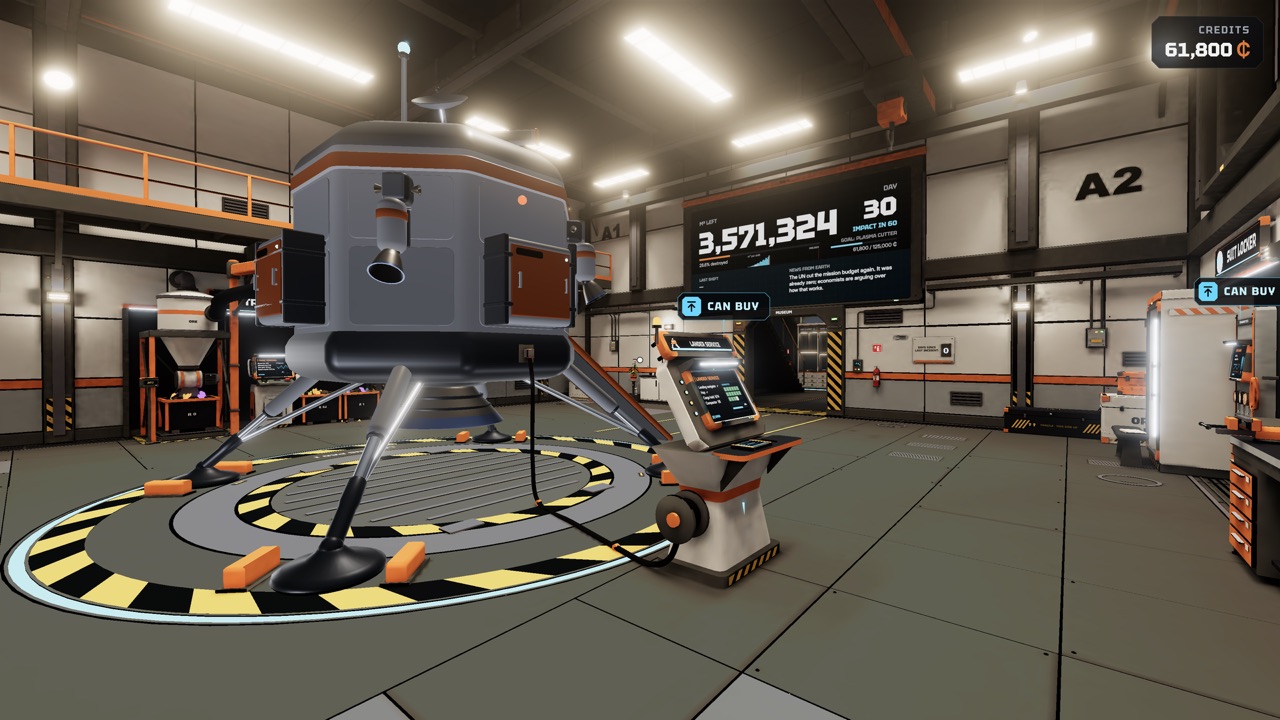
An official screenshot shows the lander parked in the ship’s hangar, beside a large display of the remaining volume. This is where each shift starts and ends. From here, you walk to the trade terminal and the Workshop.
Players report that washing the lander between shifts gives bonuses. The wash hose reaches 25 metres since November 21. See lander washing bonus for details.
Plan Your Route Down
A good return starts before you dig. Mine close to the lander on early days, and go deeper only as you buy more air. Keep one clear tunnel back instead of a maze.
Scan new rock faces so you dig toward value, not at random. Every metre you dig away from the lander is a metre to walk back. See how to use the mineral scanner.
Frequently Asked Questions
Can a teammate leave without me?
Yes. Anyone in the lander can start the 10-second countdown, and players in the lander can kick a friend out of the hatch.
What happens if I miss the lander?
You black out and lose the cargo you were carrying, according to the store description.
How long is the lander countdown?
10 seconds. Anyone who sits in the lander can start it.
What key returns me with the tether?
Bindings can change, and on-screen prompts follow your settings. Check Settings or the HUD prompt for the current key.
Official Video
Sources and Further Reading
- Steam · No Asteroids store page (app 5527800)
- Steam discussion · Tether Range UI, with developer replies
- Unruled Games · Fixes and Improvements (Nov 19)
- Unruled Games · Save Slots, Hard Mode & Co-op Improvements (Nov 20)
- Unruled Games · Stronger Drones, Tunnel Mode & Co-op Fixes (Nov 21)
- Unruled Games · Keyboard Rebinding & Co-op Fixes (Nov 19)
- Unruled Games · Demo co-op and 20 playable days (Nov 13)
- YouTube · Unruled Games, Co-op Trailer (Nov 13)
- YouTube · Unruled Games, Gameplay Trailer (Nov 3)